I’ve been involved in lecturing courses on IT support of Project Management and Big Data at institutions during the last years. As there have been many participants I’ve been looking into solutions to facilitate the homework hand-in and evaluation process and the automated assessment of final tests. The main idea was to support me and not me supporting the system - so an out-of-the-box working tool was preferred. After some tries on automated test creation with Limesurvey - which is a great tool for survey creation - I found Moodle which supports not only a lot easier test creation but the whole e-learning process. The tool is open-source, has great documentation and great functionality - which of only a few pieces I use regularly. So to share news with a specified group, assign homework with deadlines and create automated, shuffled tests - the use-cases I need - it does all. Let’s install it on an Ubuntu 14.04 Server. In terminal:
sudo apt-get install apache2 mysql-client mysql-server php5 graphviz aspell php5-pspell php5-curl php5-gd php5-intl php5-mysql php5-xmlrpc php5-ldap graphviz aspell php5-pspell php5-curl php5-gd php5-intl php5-mysql php5-xmlrpc php5-ldap

cd /home/user

wget http://downloads.sourceforge.net/project/moodle/Moodle/stable27/moodle-latest-27.tgz?r=http%3A%2F%2Fdownload.moodle.org%2Fdownload.php%2Fstable27%2Fmoodle-latest-27.tgz&ts=1408625647&use_mirror=freefr

tar -xzvf moodle-latest-27.tgz

sudo cp -R /home/user/moodle* /var/www/html/

sudo mkdir /var/moodledata

sudo chown -R www-data /var/moodledata

sudo chmod -R 777 /var/moodledata

sudo chmod -R 0755 /var/www/html/

sudo chmod -R 777 /var/www/moodle

sudo chmod -R 0755 /var/www/moodle

sudo chown -R www-data:www-data /var/www/html/moodle

mysql -u root -p

    CREATE DATABASE moodle DEFAULT CHARACTER SET utf8 COLLATE utf8_unicode_ci;

    GRANT SELECT,INSERT,UPDATE,DELETE,CREATE,CREATE TEMPORARY TABLES,DROP,INDEX,ALTER ON moodle.* TO moodledude@localhost IDENTIFIED BY 'passwordformoodle';

    quit;
Install Moodle from your browser http://host/moodle/ - choose MySQL database. The installation process is available with more details at: https://docs.moodle.org/23/en/Installing_Moodle 1. Create a course by using the left panel’s “Courses” menu 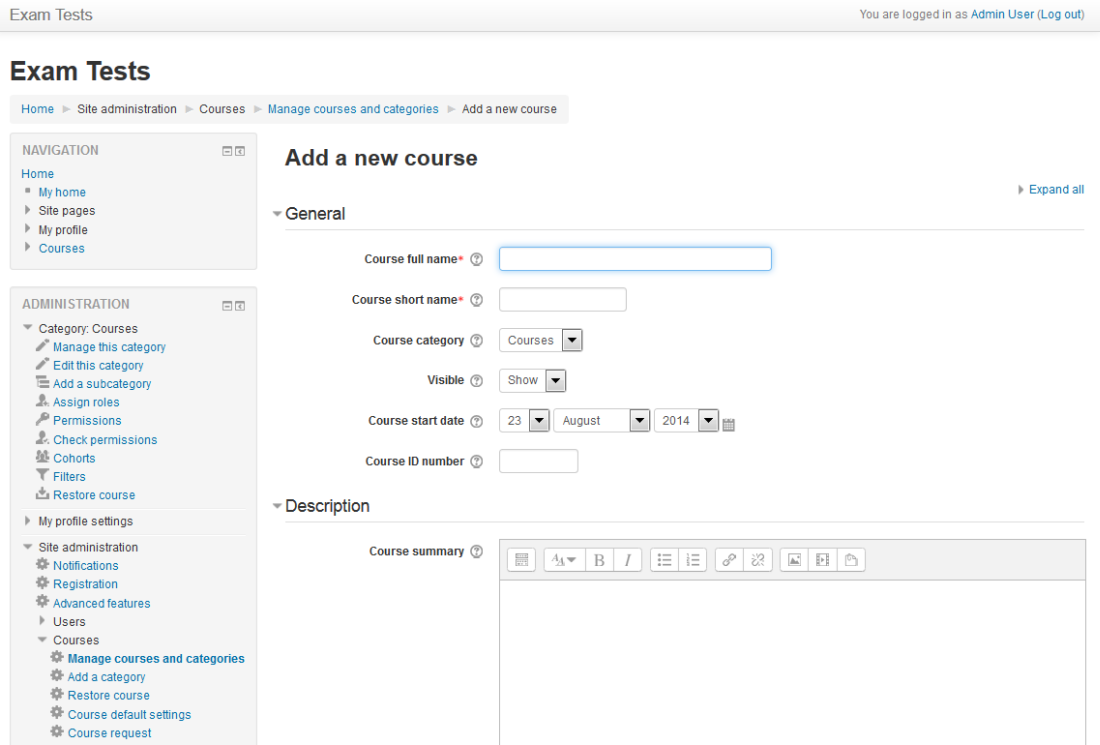
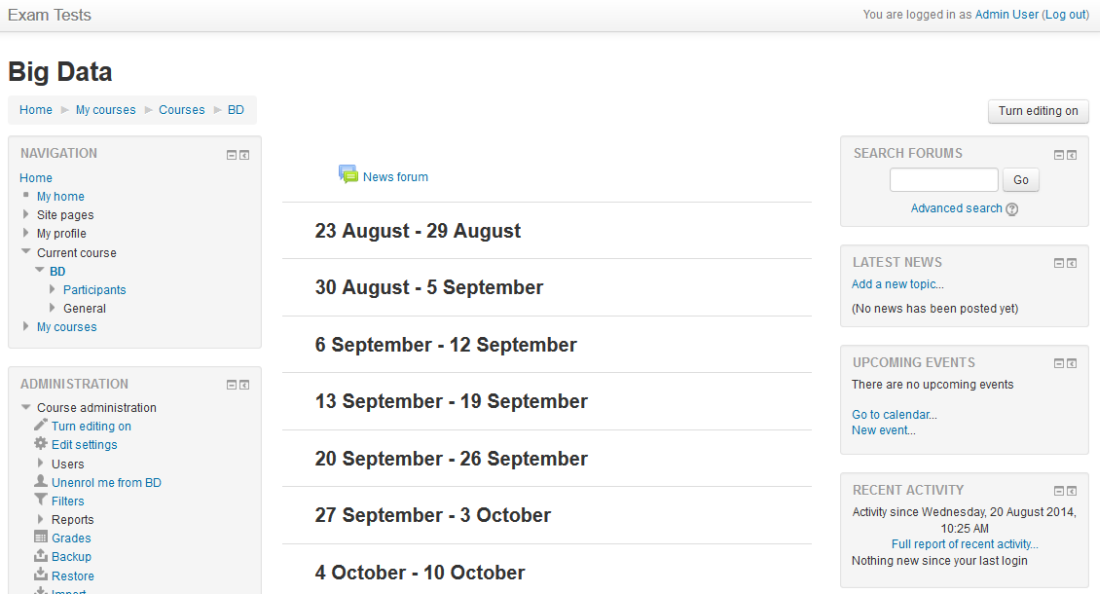 2. Create a Course Information Section - Middle Panel, “Add an activity or Resource”, use “Page”
 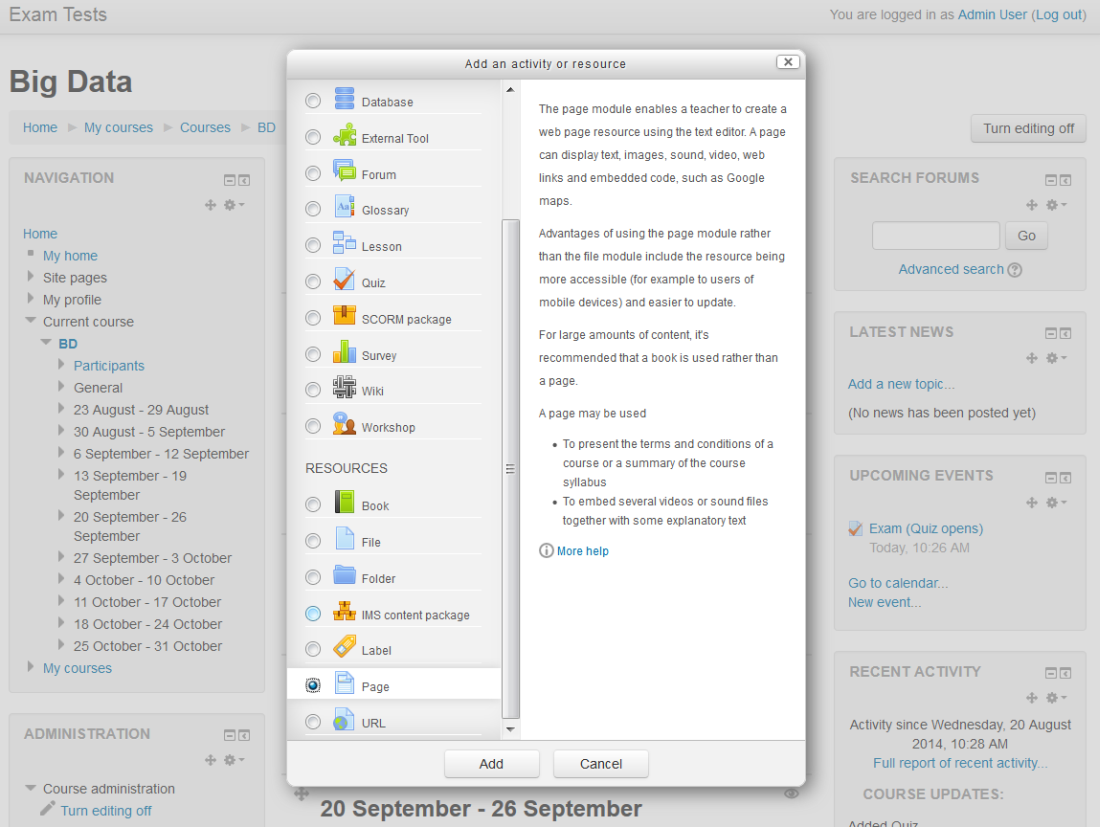 3. Create a Section for Exams - Middle Panel, “Add an activity or Resource”, use “Quiz”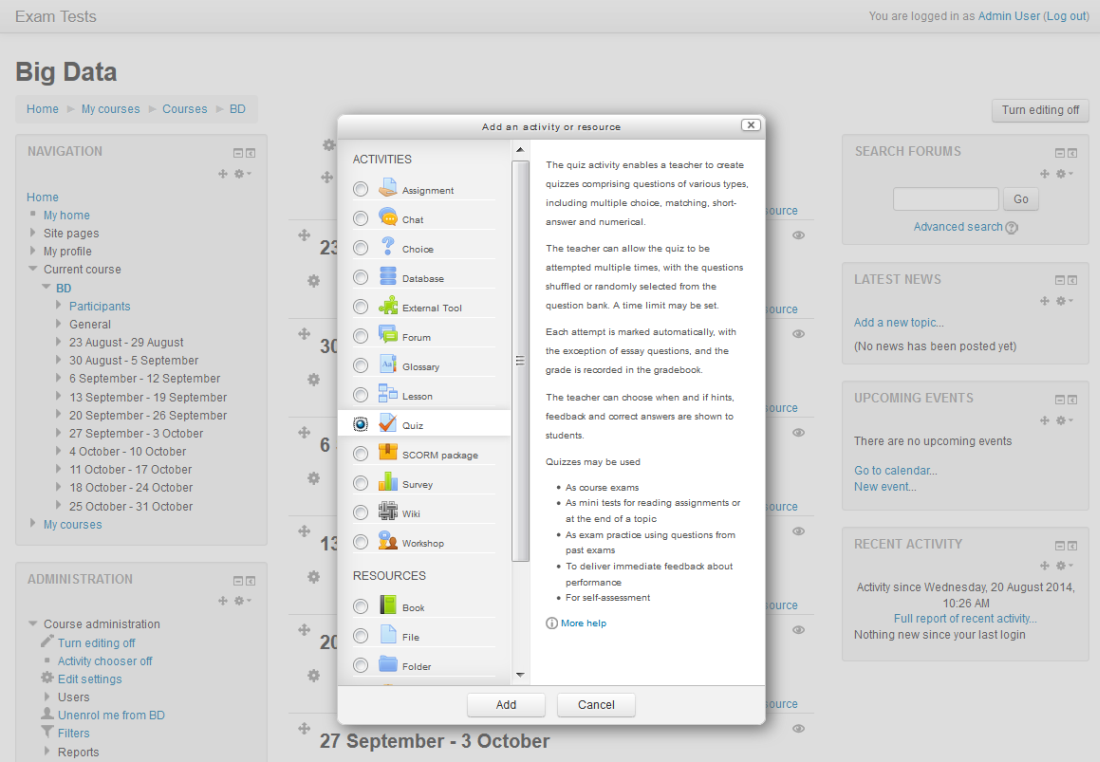
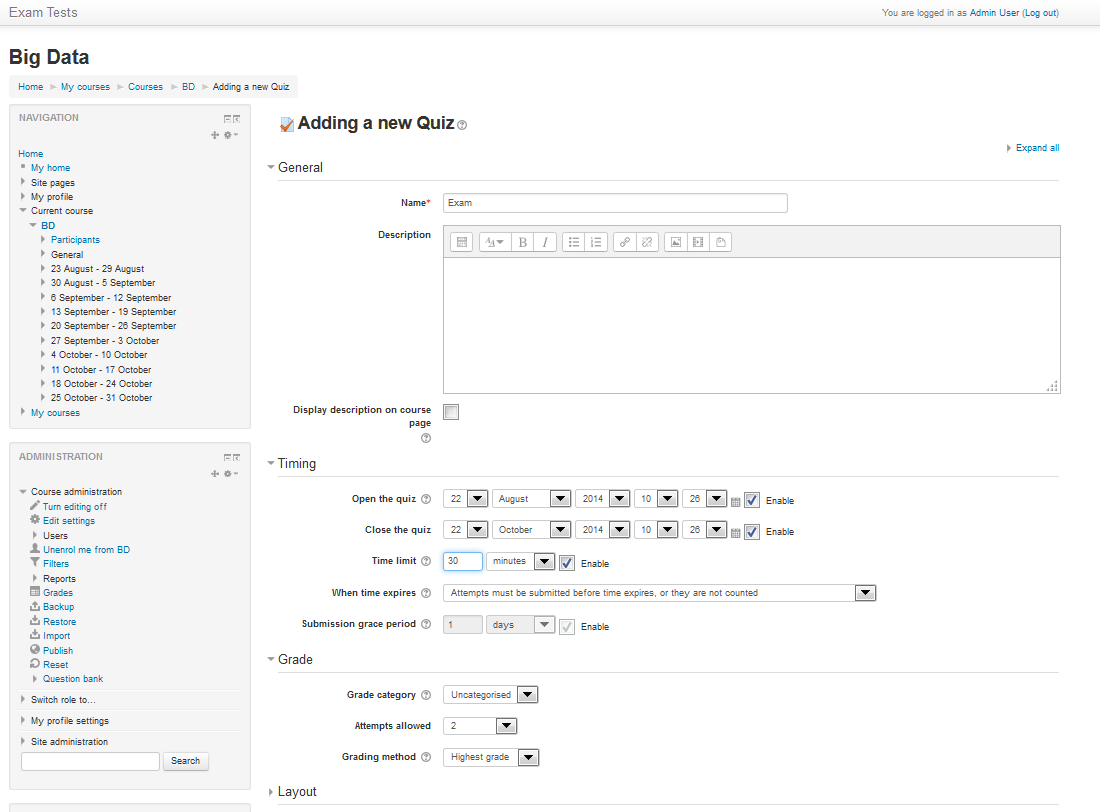 4. Add questions to the question Bank - left panel, below, click “Question Bank” - “Import” - use “Gift” Format
 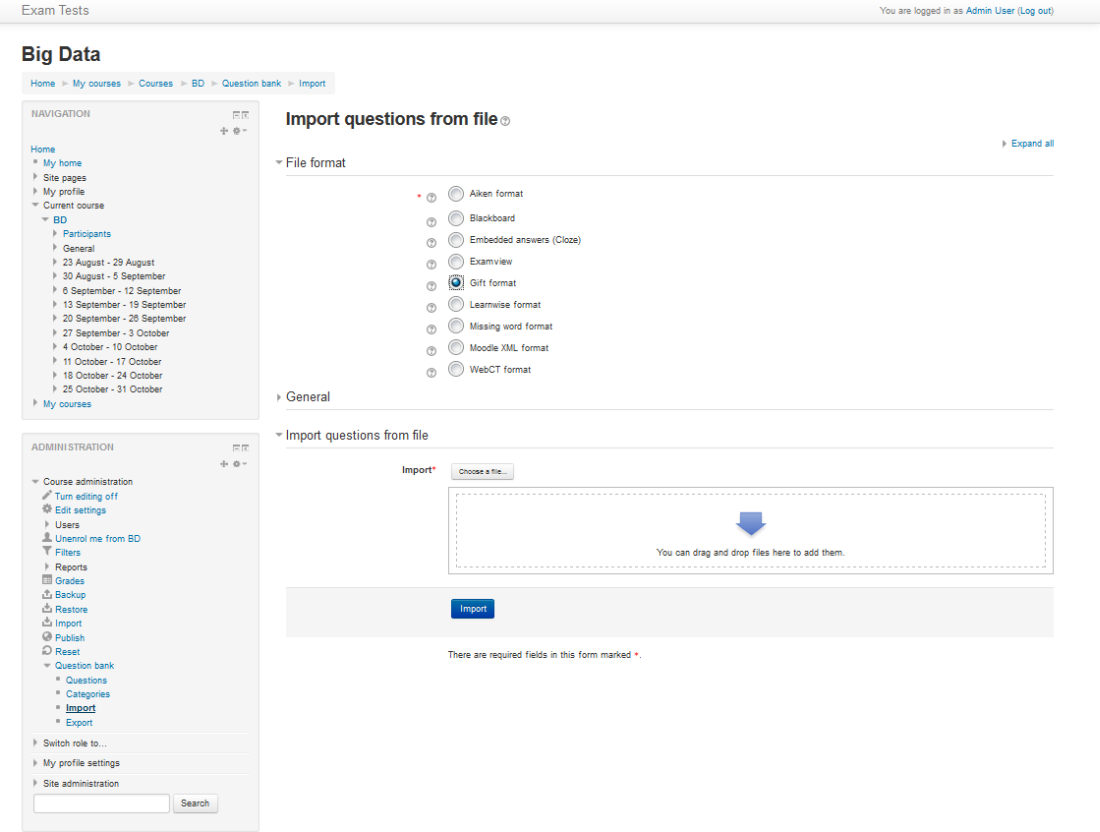 The following example is to import questions into Moodle. $CATEGORY is to define which category to include to (important to select where to shuffle from). 1. question : Single choice, B is correct 2. question : Multiple choices, if B and C are selected 50%+50%=100% is given
$CATEGORY: Cluster_DevOp


What is Puppet? {

~A provisioning tool for Hadoop

=A provisioning tool for Linux and Windows machines

~A provisioning UI

~A provisioning tool for Linux machines

}


What is Ambari?{

~A provisioning tool for Hadoop

~50%~A provisioning tool for Linux and Windows machines

~50%~A big data query engine

~A provisioning tool for Linux machines

}
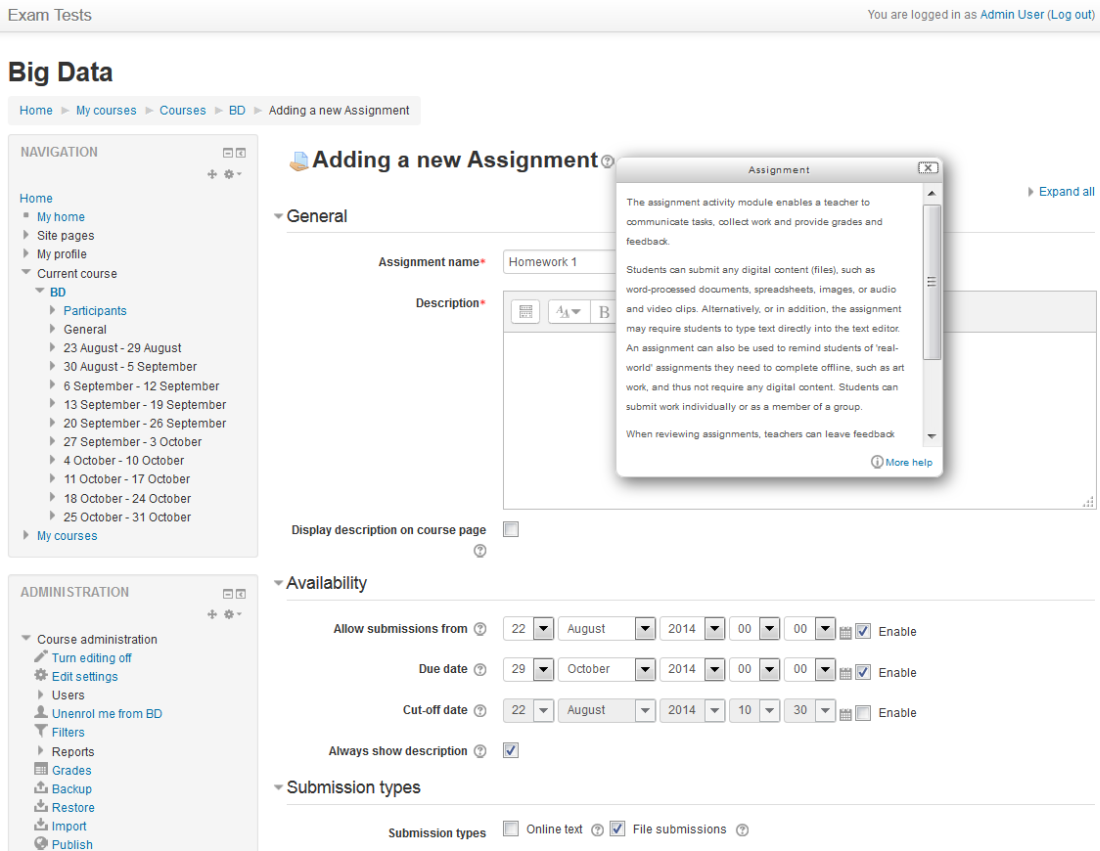
5. Create an Exam shuffling questions from the “Question Bank” - by editing the created quiz 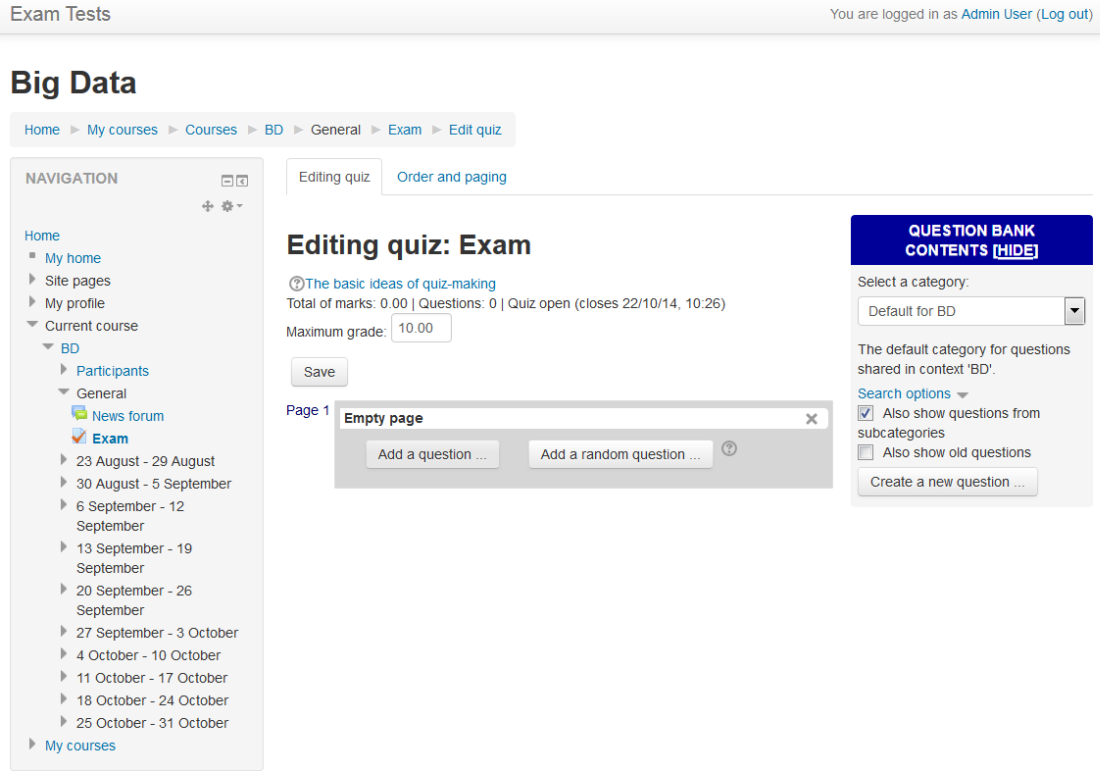 6. Create a homework assignment with Deadlines - Middle Panel, “Add an activity or Resource”, use “Assignment”
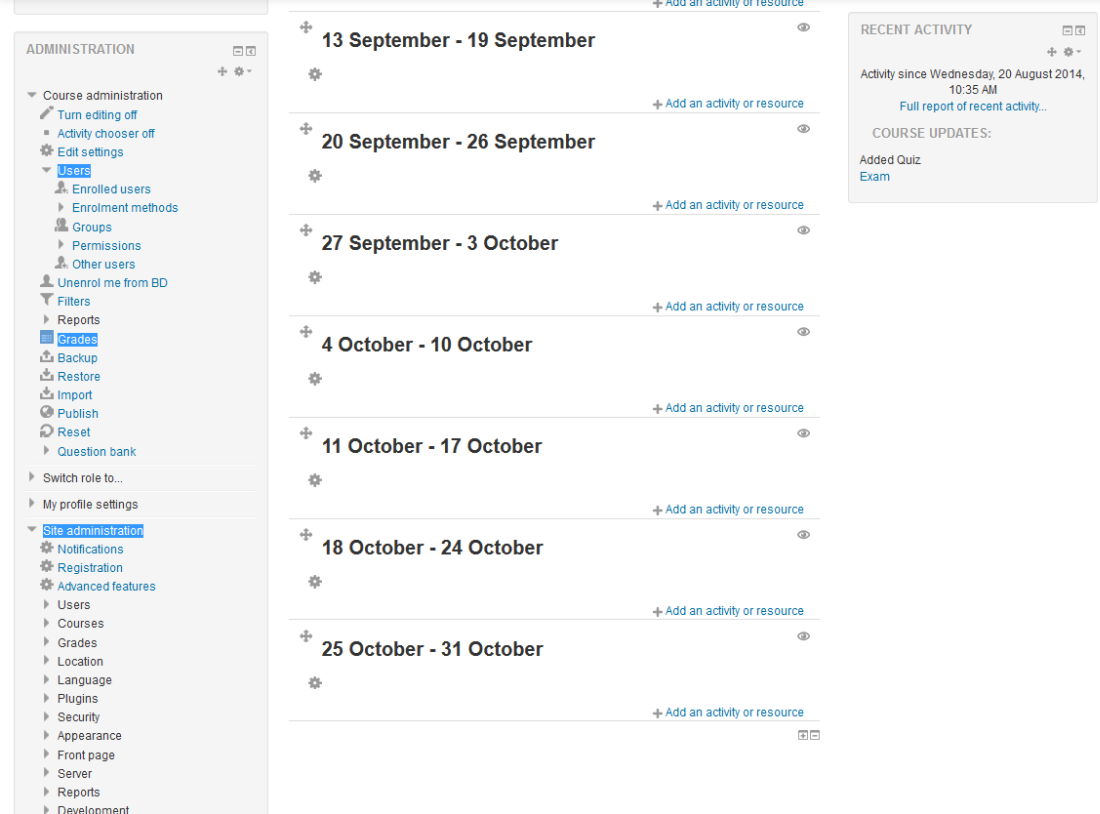
  +1 Modify grading scheme, administrative settings, add users in the right panel highlighted